Home
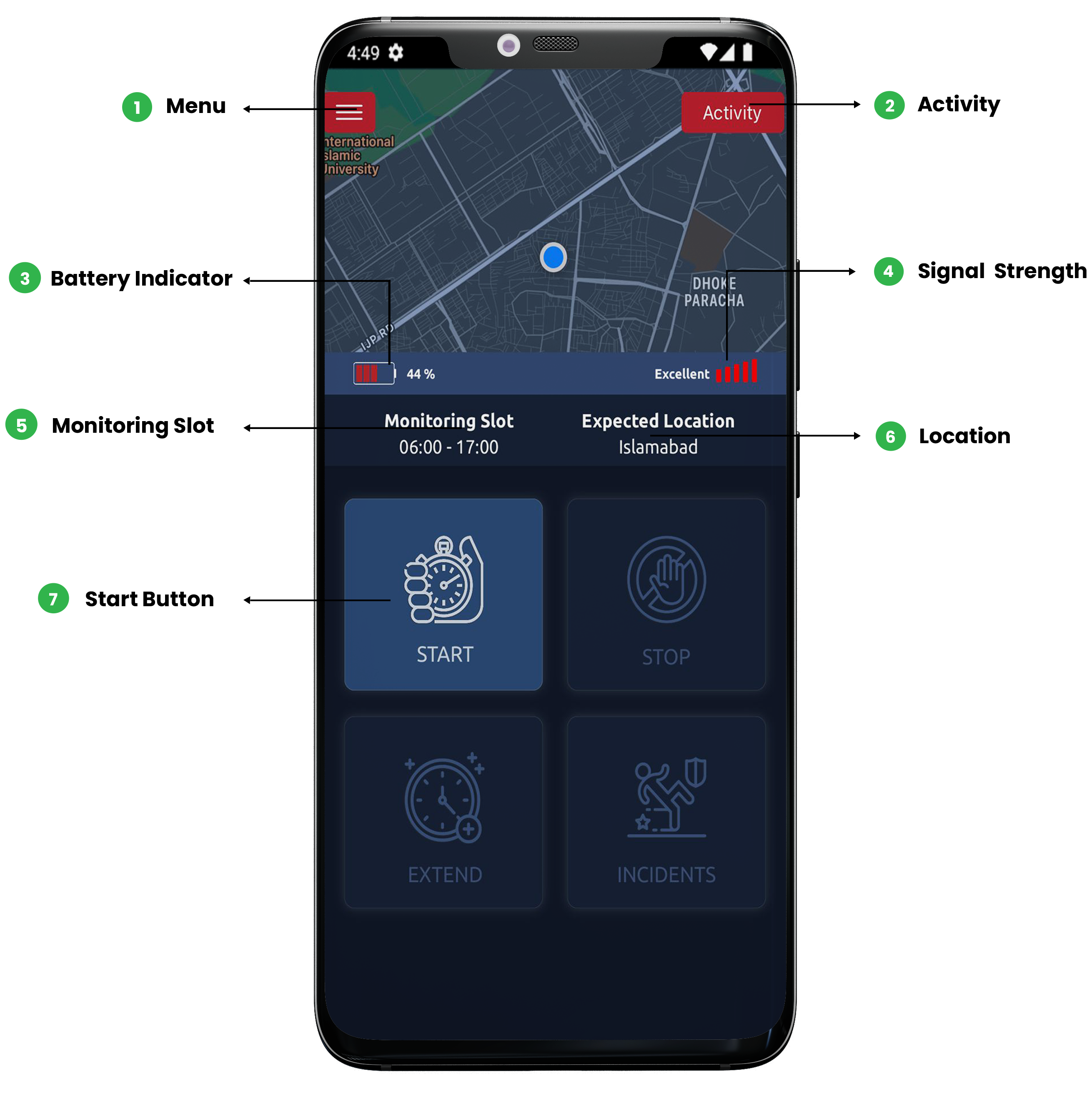
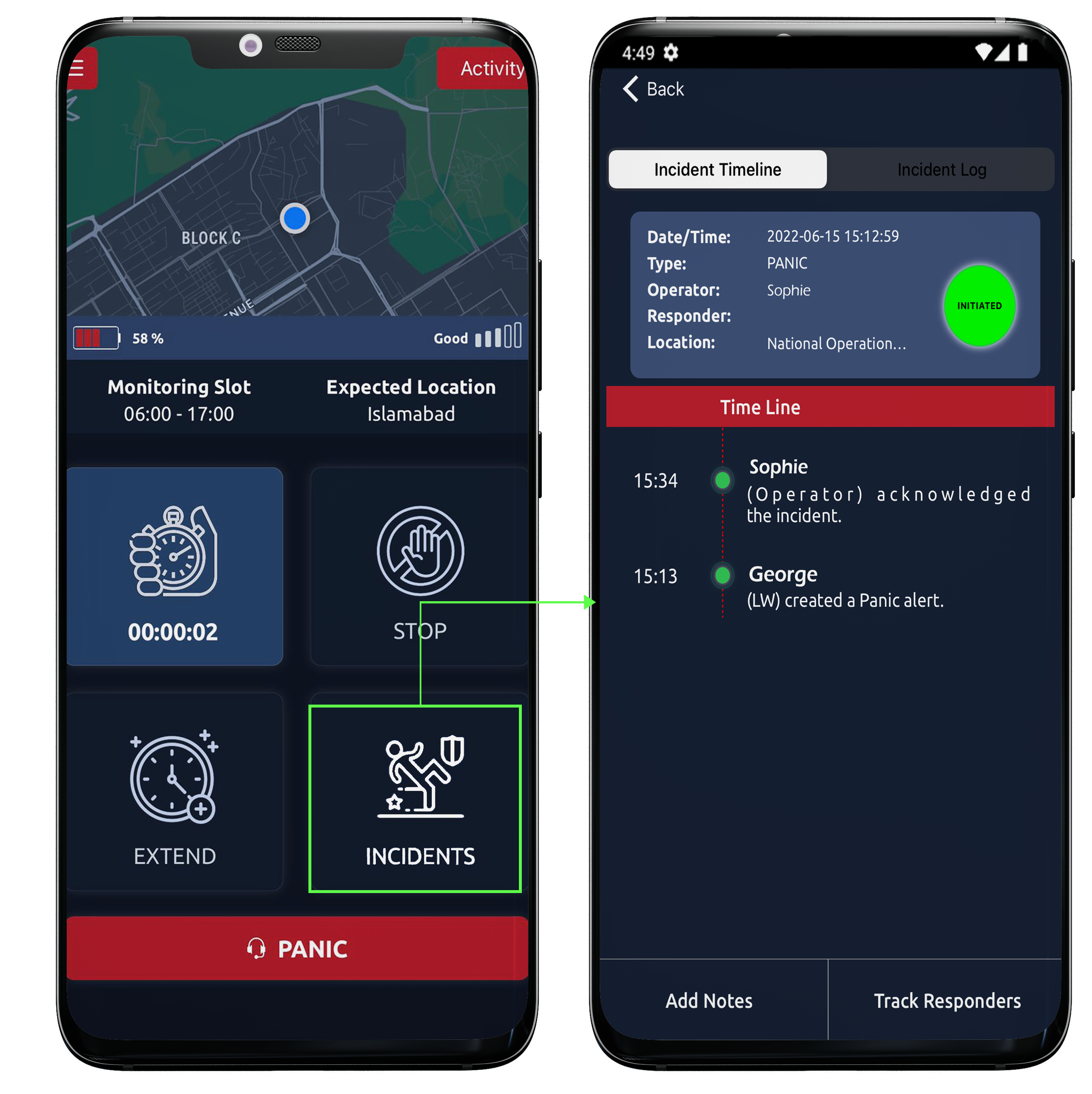
After successful logging in home page would appear. Here, the monitoring slot, expected location, battery life and signal strength all are clearly visible and you can also have a look at your activities by clicking on activity button. The current location would also pinned on the map.
On this screen multiple options are available as such;
- Menu
- Activity button
- Battery indicator
- Signal strength
- Monitoring slot
- Expected location
- Start button
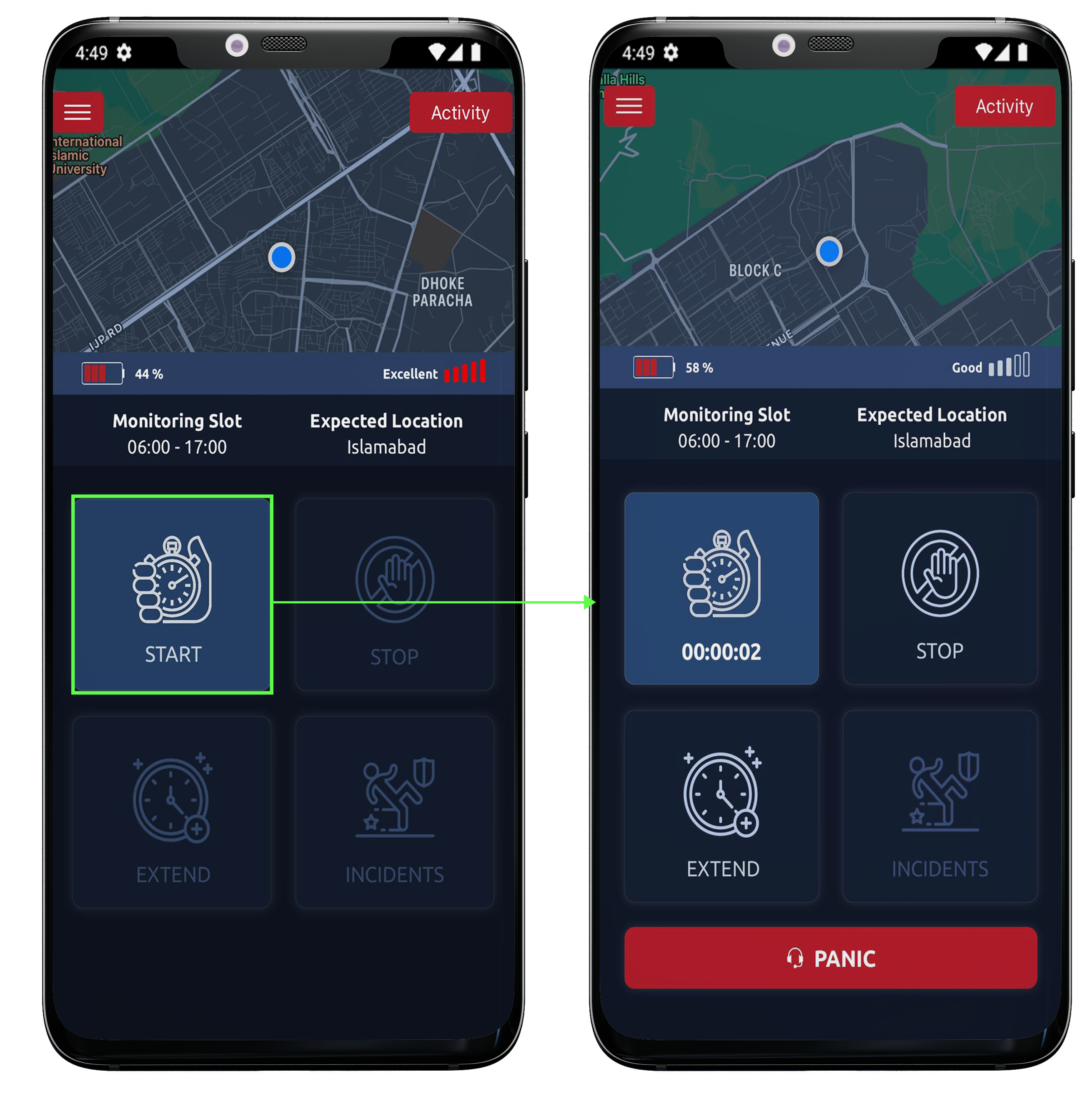
Start duty
As soon as the duty starts, control room will be notified that the user/employee has commenced their duty.
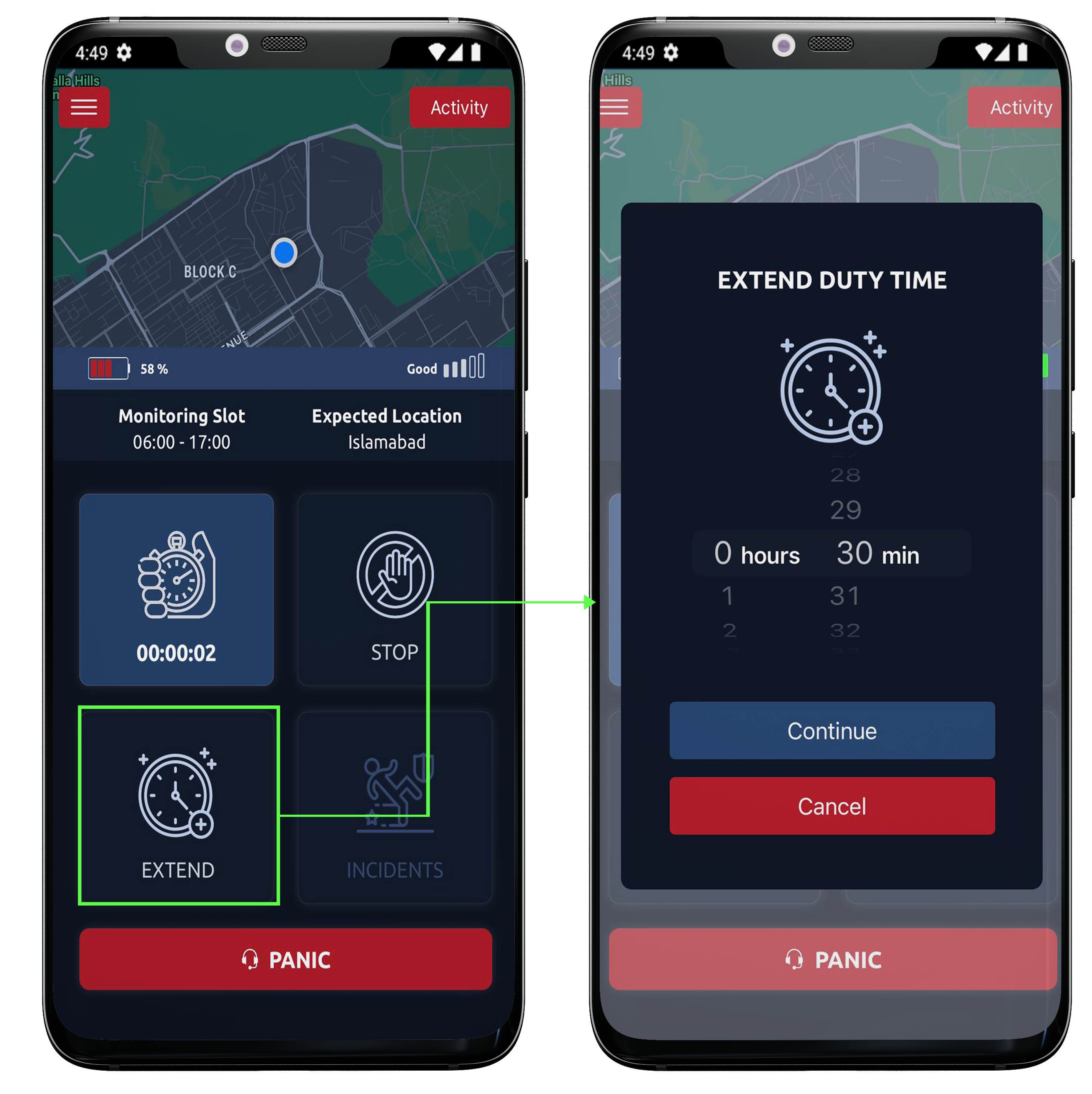
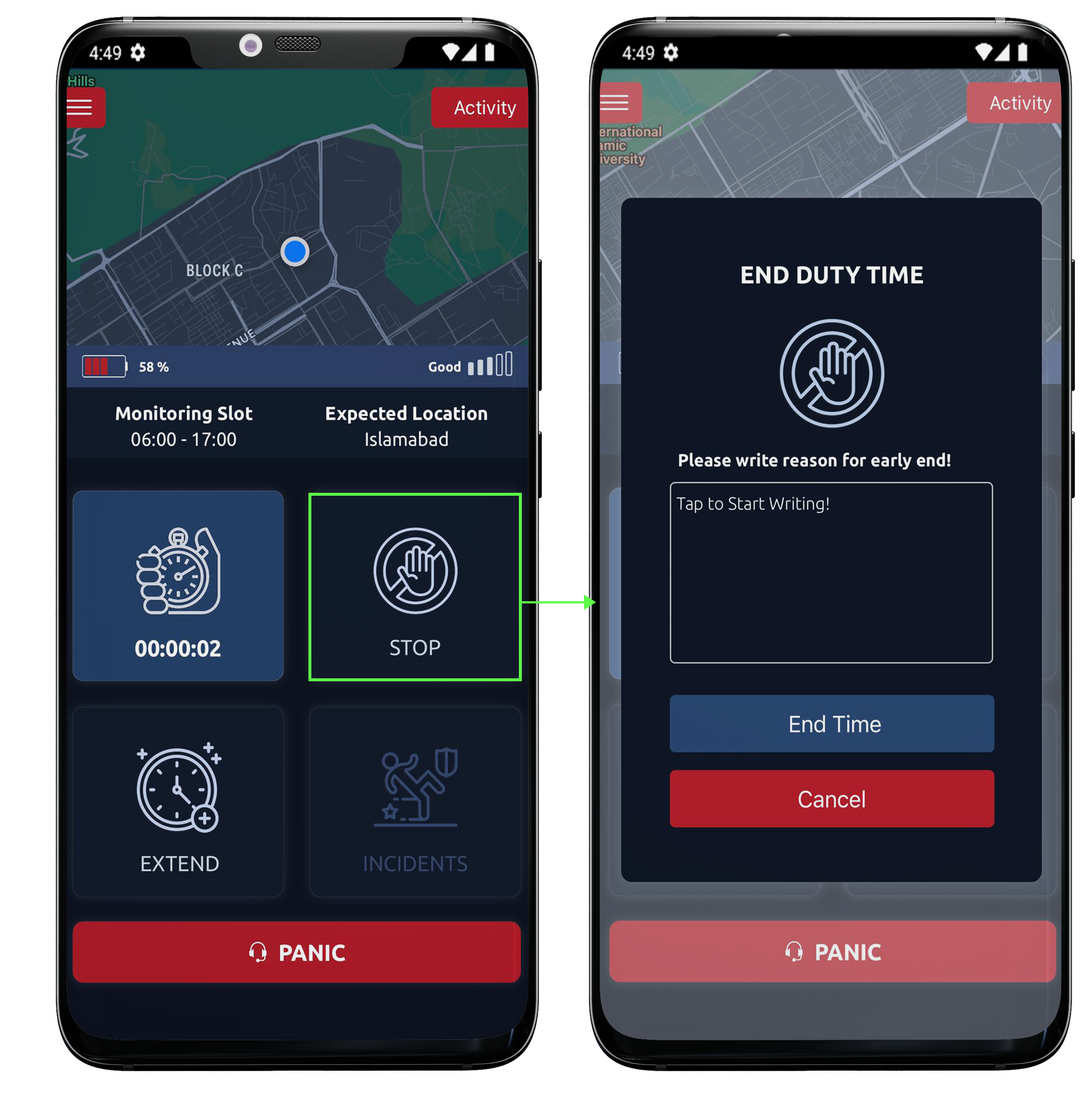
Extend or Stop
Time can be extended or stopped.
Incident
One can also view incidents that have been created/reported by the particular employee. Panic incident can be reported at any time of the day.
All icons can be easily seen on the home page.