Location
Location
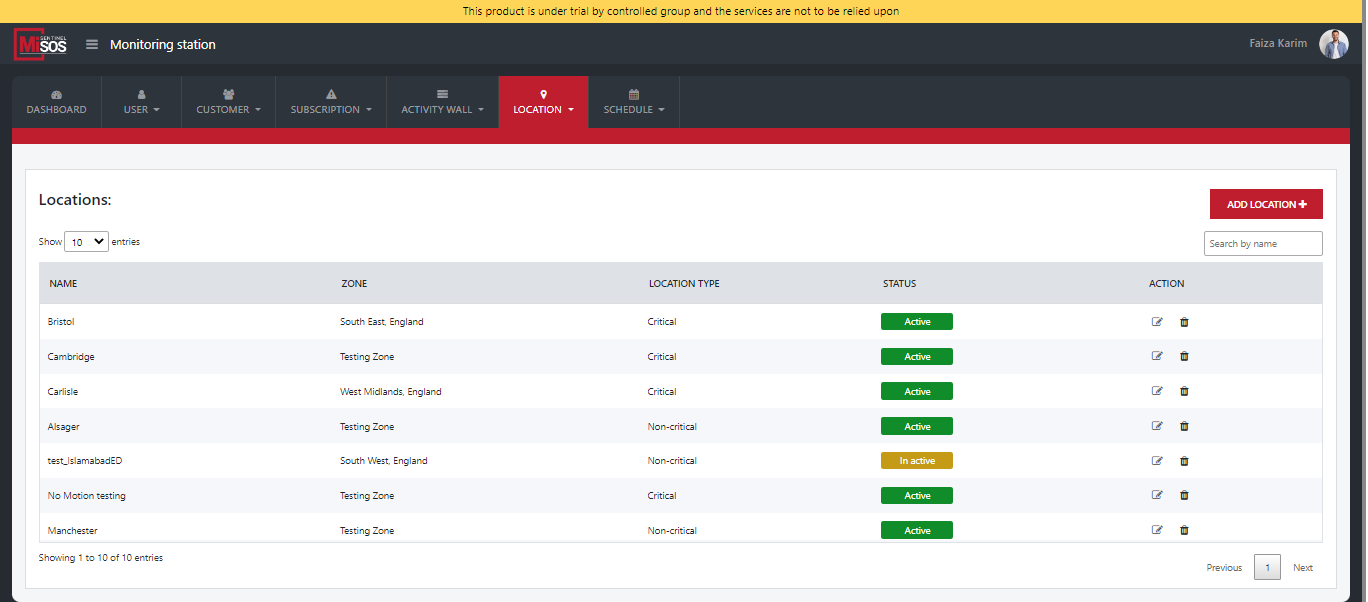
Just like in Zones MiSOS cover and group Post Code areas, in location we will be grouping zones. Here, you create a location and decide upon which post code areas are to be added belonging to a specific zone. Side by side, these post code areas will be highlighted on the map.
On this page jot down name of any location, select a zone consisting of multiple post codes. Conveniently, MiSOS allows you to edit post code areas as per need and update it from time to time. Location type can be chosen whether critical or non-critical. Tags can be mentioned along with the status and its desired ratio.
Desired ratio means that for 2 lone workers 1 responder would be needed.
Zone
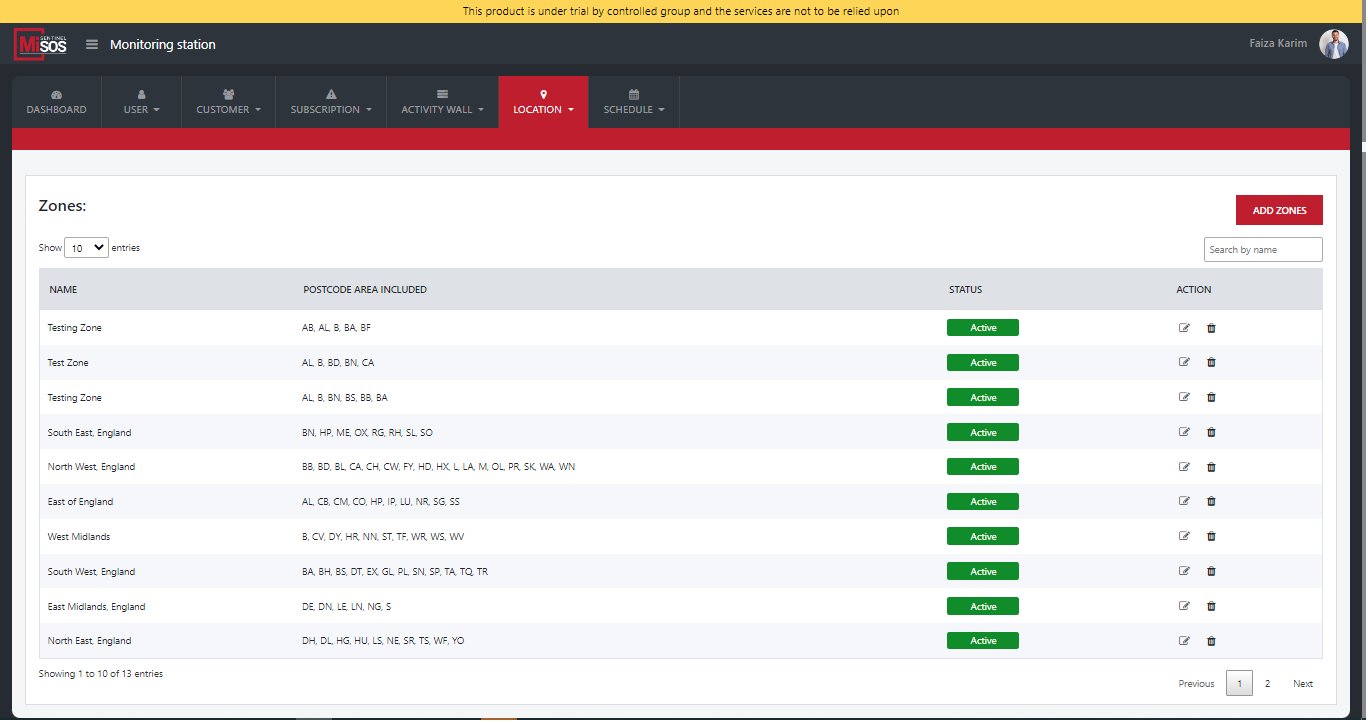
To understand this, click on ‘Add zones. Suppose you name it ‘Zone 1’. Upon selecting multiple post codes, for any specific zone, note that it will be covering all postcode areas that have been selected and added. Simultaneously, this activity would be highlighted on the map.
Giving a specific zone a name for example - ‘Zone 1’, you will click on add zones and instantly it would be added.
The zone or zones that we have saved would list down in a listing. It would include all post code areas of that zone. When edited or removed all or multiple post codes can be removed and later it could be updated. The latest changes would be visible, and the post code areas will not be shown in that zone.
One this page, one can also view, add, edit, remove or search a particular zone.
Post Code Area
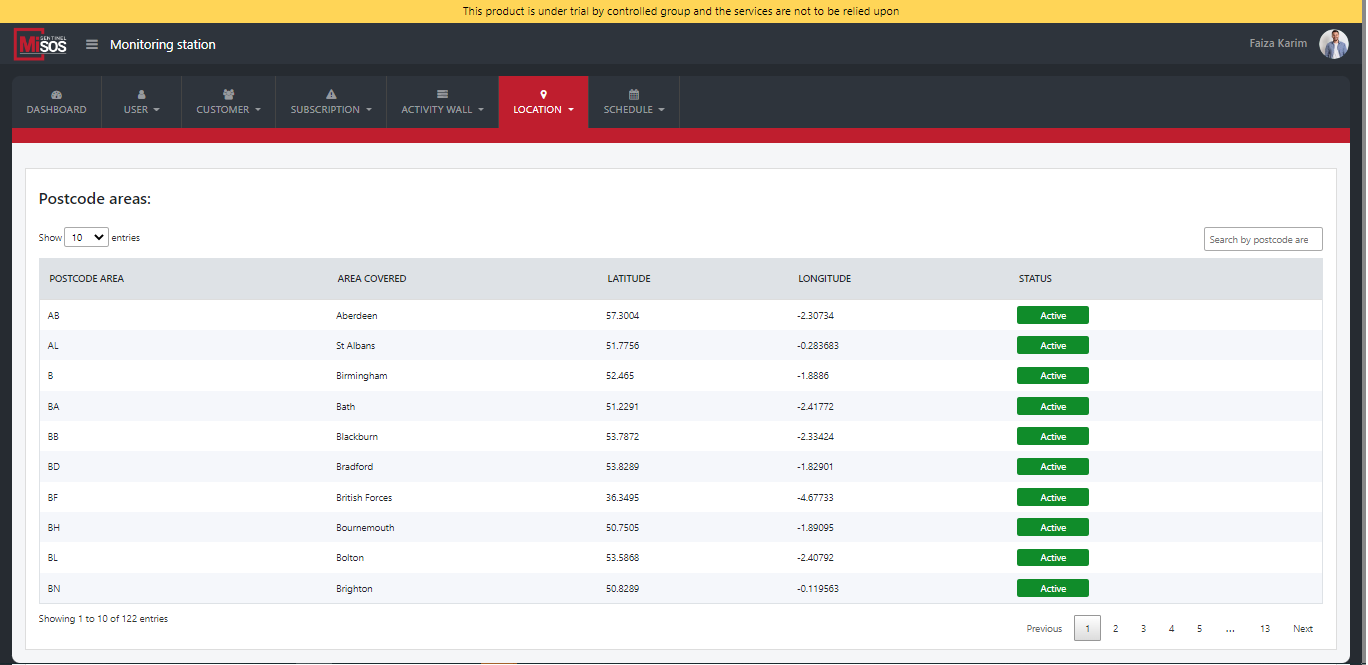
Since UK has been divided into different Post Codes, we work on certain defined Post Codes. This consists of the area covered, latitude, longitude as well as the status which MISOS smartly keeps on its Postcode area page.