Call Connection
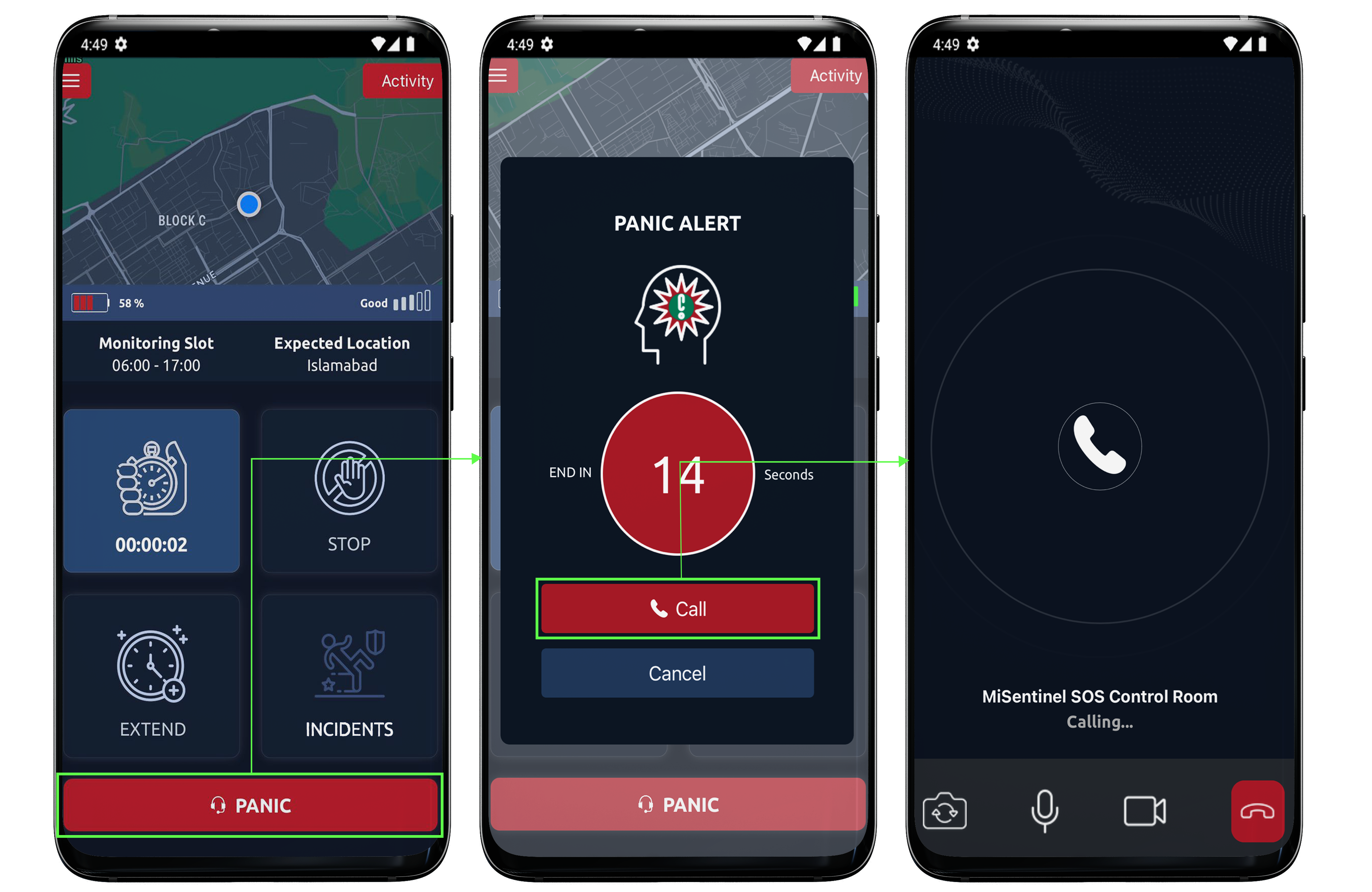
From home page we can connect our call at any time if a lone worker feels he/she is in danger.
The person will simply tap on panic button and instantly a timer (of 30 seconds) would begin.
If he/she clicks on call, a video call is directly connected to the control room but when the timer finishes automatically a video call itself would be received from the control room.
In case of it being a false alarm, the user can cancel. Once the video call is connected, you’ll have 2 options - to mute or to turn off the video. Tapping on both these options would mean not allowing control room to hear or see you.